The monthly equivalent helps compare offers. A 3, 6 or 12 month term is paid in full; it does not mean monthly charges. Each configuration still shows the billed total and renewal amount.
Configurations: 6 · 1 month
Select 2 or 3 plans to compare them.
0 / 3
VPS / KVM
2GB
Windows · KVM
VPS KVM Windows · 2 GB
Introductory priceDue when ordering4.90 €first month
Renewal: 6.90 € / 1 month
No setup fee
Due when ordering19.68 €for 3 months
Renewal: 19.68 € / 3 months
6.56 € equivalent / month at renewal
− 1.02 €Renewal saving
Compared with the monthly renewal rate over the same duration. The full term is paid upfront.20.70 € → 19.68 €
No setup fee
Due when ordering37.26 €for 6 months
Renewal: 37.26 € / 6 months
6.21 € equivalent / month at renewal
− 4.14 €Renewal saving
Compared with the monthly renewal rate over the same duration. The full term is paid upfront.41.40 € → 37.26 €
No setup fee
Due when ordering66.24 €for 12 months
Renewal: 66.24 € / 12 months
5.52 € equivalent / month at renewal
− 16.56 €Renewal saving
Compared with the monthly renewal rate over the same duration. The full term is paid upfront.82.80 € → 66.24 €
No setup fee
Your resources
Processor
1 vCPU
Memory
2 GB RAM
Storage
64 GB SSD
Host CPU: Intel Xeon
DDoS protection included · PeeryxPeeryx upstream capacity15 Tbps+
No configuration matches your criteria. Adjust the budget or minimum resources, or explore another range.
How do I choose my resources?
RAM determines available memory; vCPUs share the host processor. Usage depends on your software, mods and players. The listed storage is your service limit. Start with your project’s requirements and monitor usage in the panel.
What does the displayed price include?
The main amount covers the entire selected term, including any setup fee. Renewal is shown separately. Paid options are detailed before confirmation in the client area. Amounts are in euros.
CUBIXSERV / PANEL
Your system. Your applications. A panel to manage them.
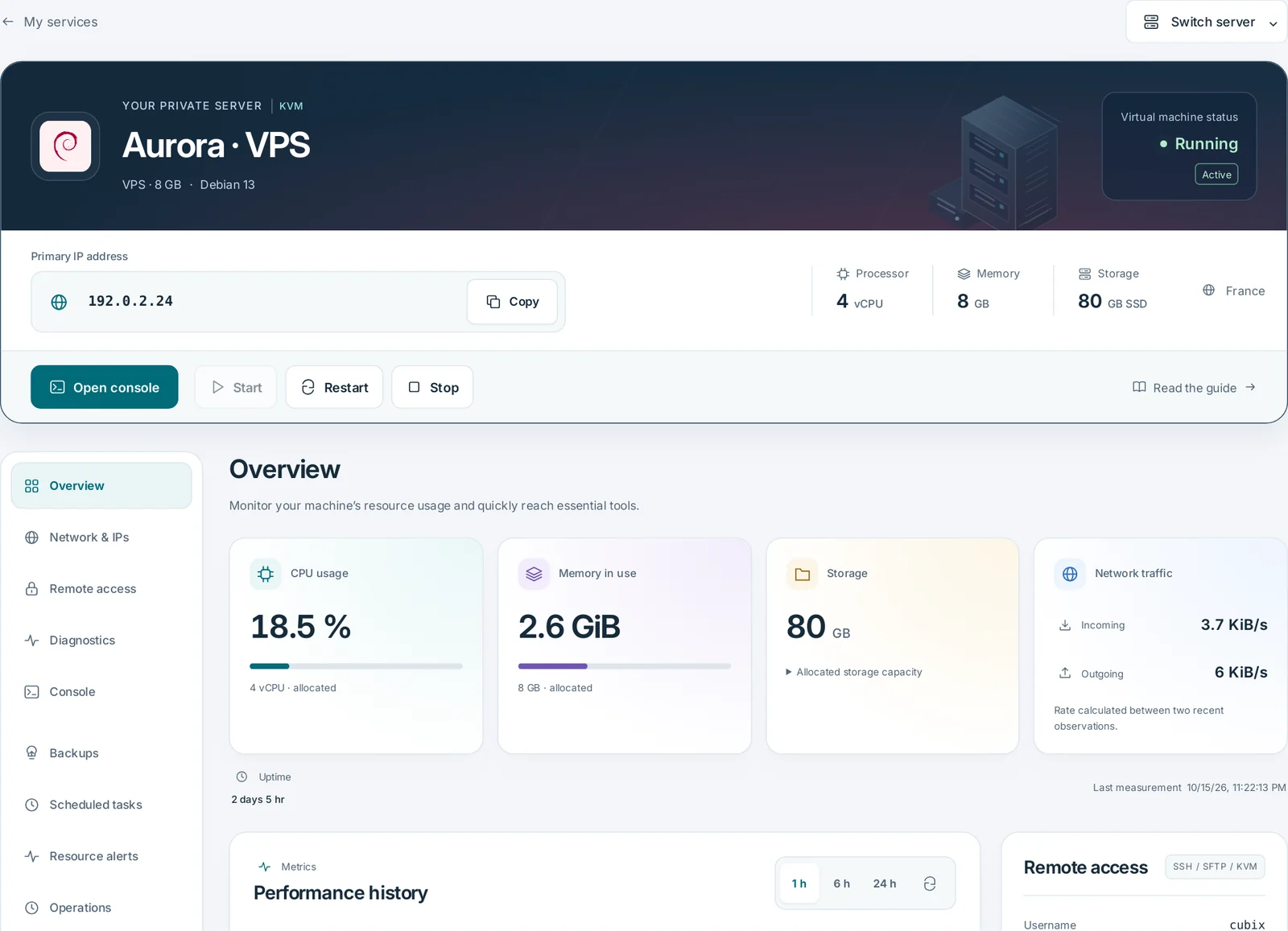
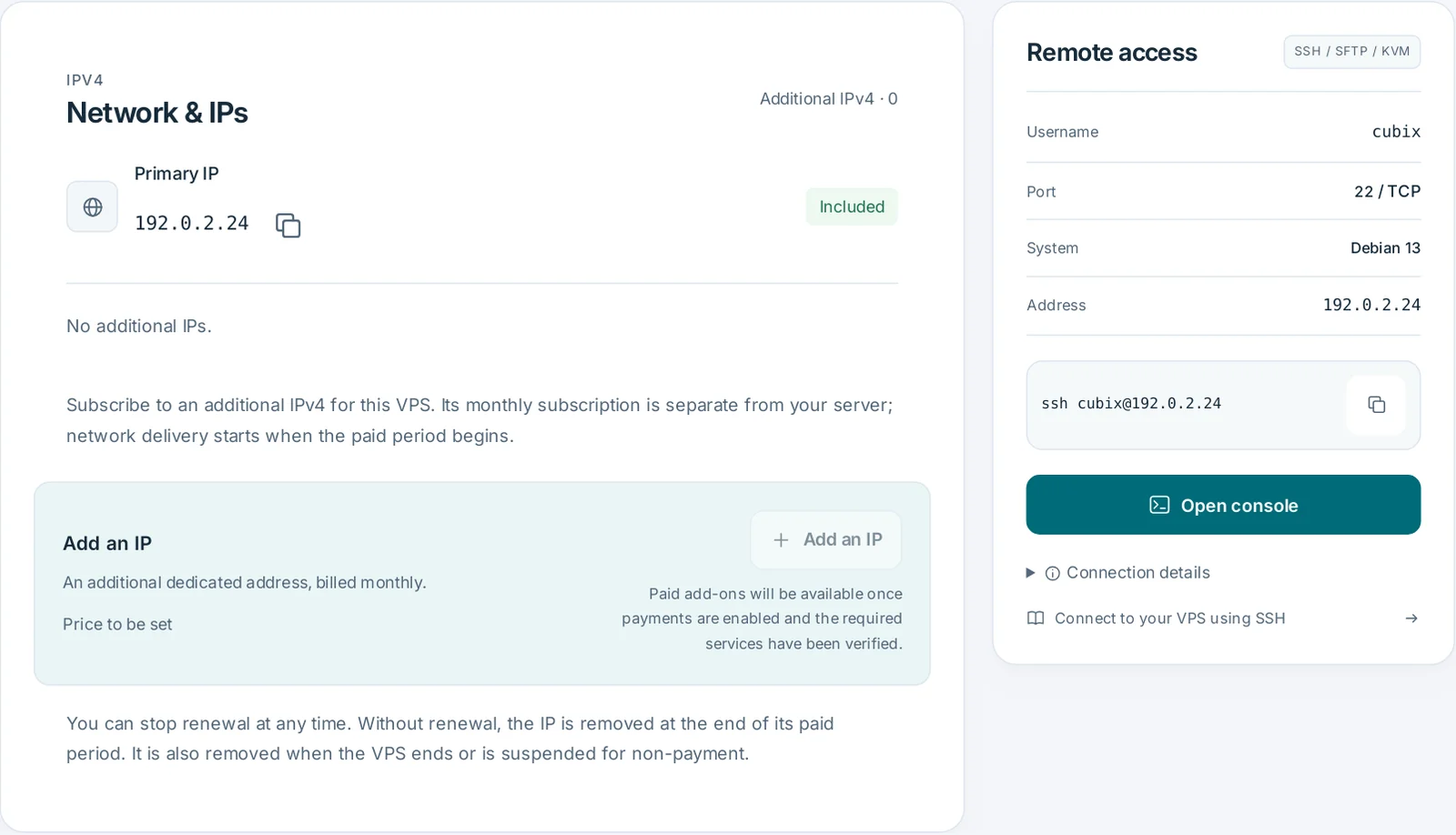
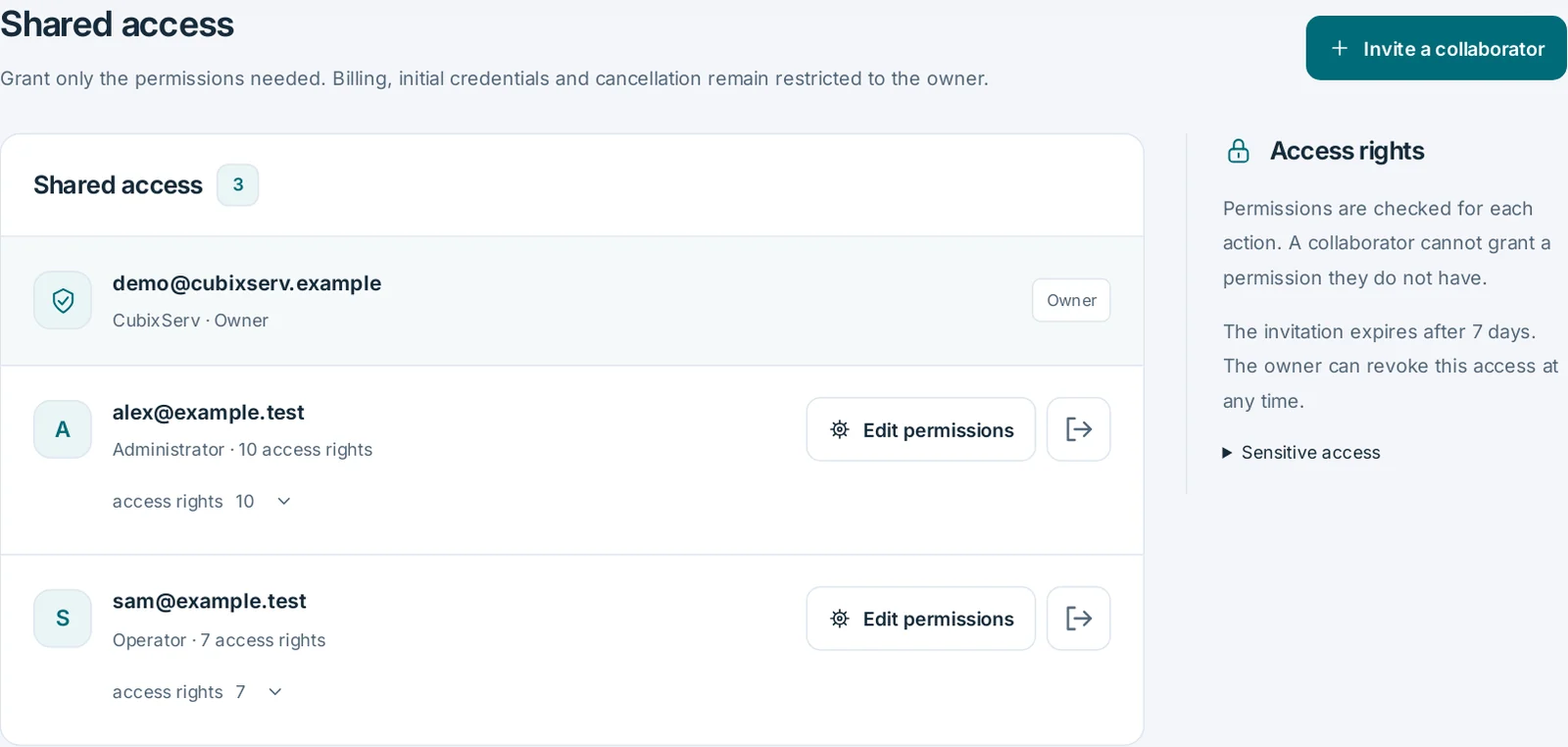
Open the console, monitor CPU, memory and network, manage shared access and prepare scheduled tasks. SSH or RDP access depends on the installed system. Sensitive actions require confirmation; restarting interrupts your applications.
OverviewActual panel, demonstration data.
Network & IPsActual panel, demonstration data.
Shared accessActual panel, demonstration data.
Remote access
Connect from your terminal with your chosen SSH key or initial credentials. The console is also available from the panel.
Console
The KVM console provides access even when SSH is unavailable. Click the screen to use the keyboard. Escape exits full screen.
Network & IPs
Manage your IP addresses, connections and firewall rules.
Shared access
Grant only the permissions needed. Billing, initial credentials and cancellation remain restricted to the owner.
Backups
Keep a restore point before an update. Stop the VPS before creating or restoring a point.
vCPUs share the host machine’s physical processor. RAM and disk figures describe resources allocated to your VPS. A host CPU’s maximum frequency is not a guaranteed frequency for each vCPU.
CUBIXSERV / PANEL
Your system. Your applications. A panel to manage them.
Open the console, monitor CPU, memory and network, manage shared access and prepare scheduled tasks. SSH or RDP access depends on the installed system. Sensitive actions require confirmation; restarting interrupts your applications.
Plan backups and resource changes
Check backup slots, limits and pricing in the configurator. Verify a successful backup before reinstalling or making a major change. Resource upgrades depend on compatibility and available capacity.
Network and protection, with a clear scope.
Peeryx supplies upstream transit and Anti-DDoS filtering. Covered protocols, bandwidth, traffic and available addresses must be confirmed for your offer. The protection network’s aggregate capacity is not your VPS bandwidth.
Configure the system firewall, prefer SSH keys, install updates and back up your data. Network filtering complements these measures. Plesk, third-party licences and antivirus tools are not automatically included.
From choosing a plan to your first deployment.
Size your project
Start with your application requirements. Leave memory and free space for the operating system, updates and backups.
Check pricing and the system
Choose the term, compatible image and options. Check the amount due, renewal and any setup fees before confirming.
Secure, then measure
Set up access and updates. Install applications, inspect the panel’s measurements and test a backup before accepting users.
A VPS gives you a complete system to administer: software installation, updates, firewall and backups. Game hosting supplies game-specific tools in its panel. Choose according to the control and administration work you want.
How many users or players can it support?+
There is no reliable count derived from RAM alone. Software, extensions, databases and CPU load also matter. Follow application requirements and monitor actual load; this comparison does not guarantee a player count.
Can I increase resources later?+
A change requires checking capacity, the operating system, disk and new price. Prepare a backup and confirm the effect on your service. Some changes may require migration or downtime.
When is a free 24-hour trial available?+
Trials appear only for eligible offers with validated delivery. The 24 hours begin once the service is delivered, with one trial per account. Converting to a subscription requires confirmation; no paid subscription starts automatically.