Standard world with moderate to light, optimised content. Large mods and complex worlds reduce capacity.
No CubixServ slot cap. Choose your slots in the panel, within the game’s technical and licence limits.
Current network allocation: 16 players. Contact support to increase this technical allocation.
No configuration matches these criteria. Lower the minimum memory or choose another operating system.
How we estimate+
CubixServ planning estimates, not multiplayer load-test results. Scripts, mods, worlds and CPU performance affect actual capacity. These figures do not guarantee a player count.
How do I choose my resources?
RAM determines available memory; vCPUs share the host processor. Usage depends on your software, mods and players. The listed storage is your service limit. Start with your project’s requirements and monitor usage in the panel.
What does the displayed price include?
The main amount covers the entire selected term, including any setup fee. Renewal is shown separately. Paid options are detailed before confirmation in the client area. Amounts are in euros.
CUBIXSERV / PANEL
Your server. Your tools.
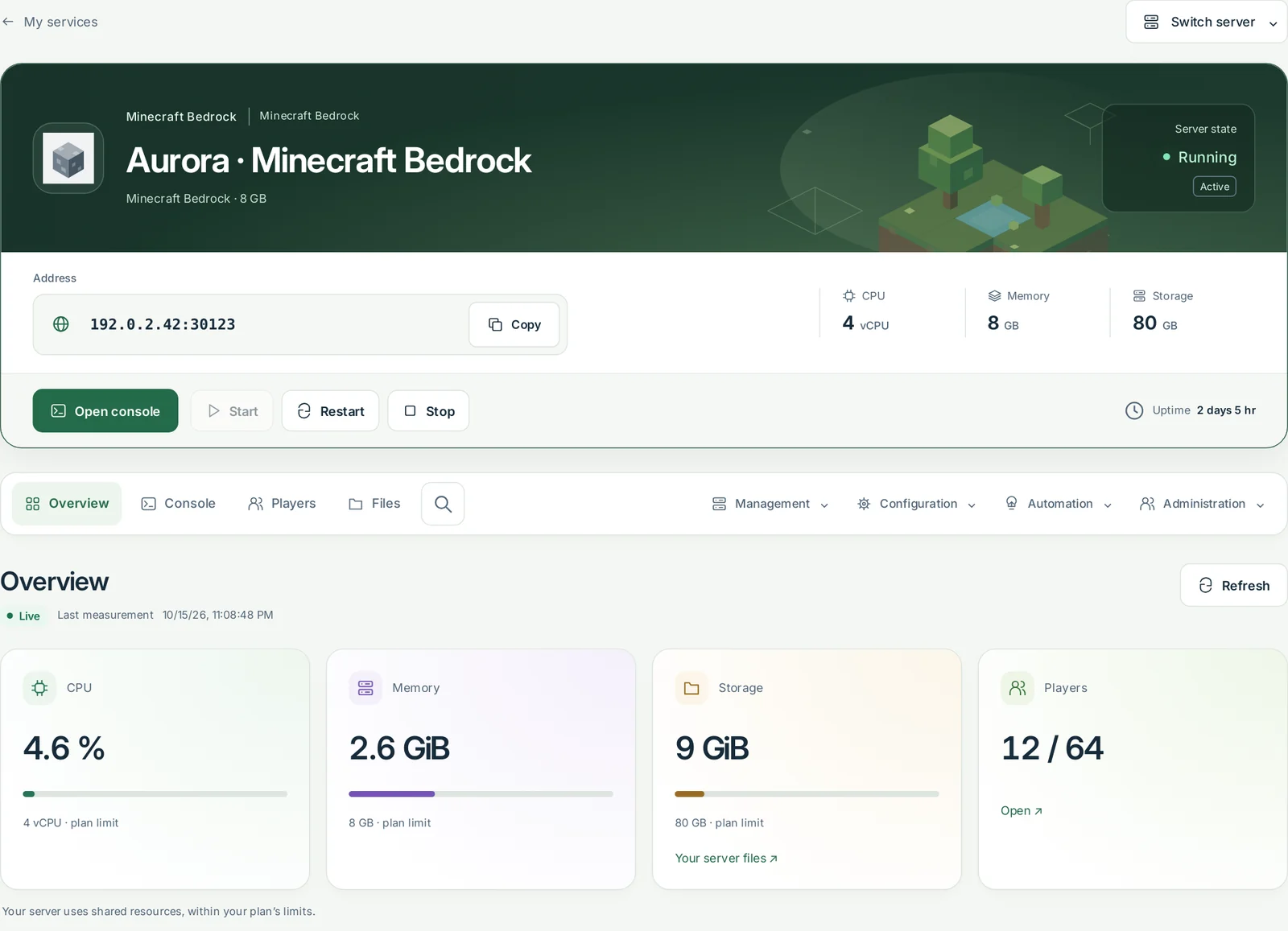
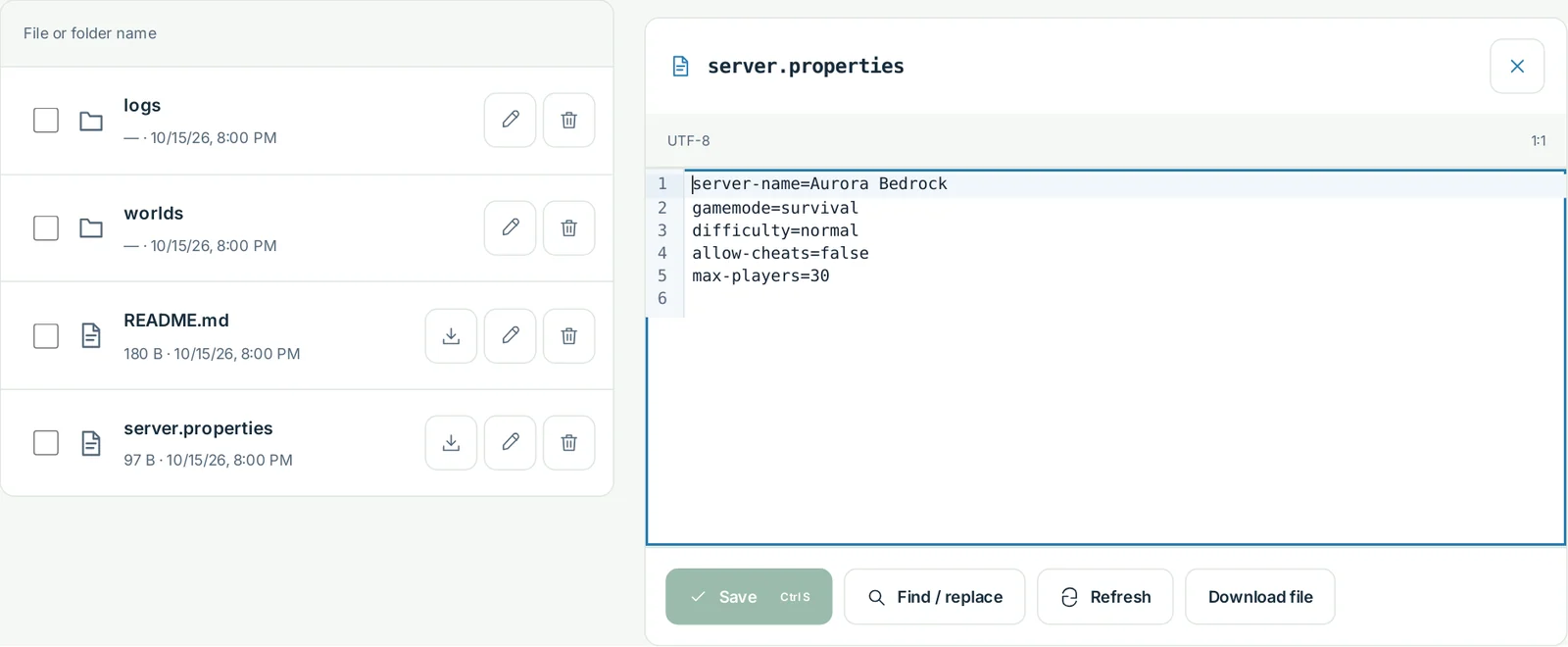
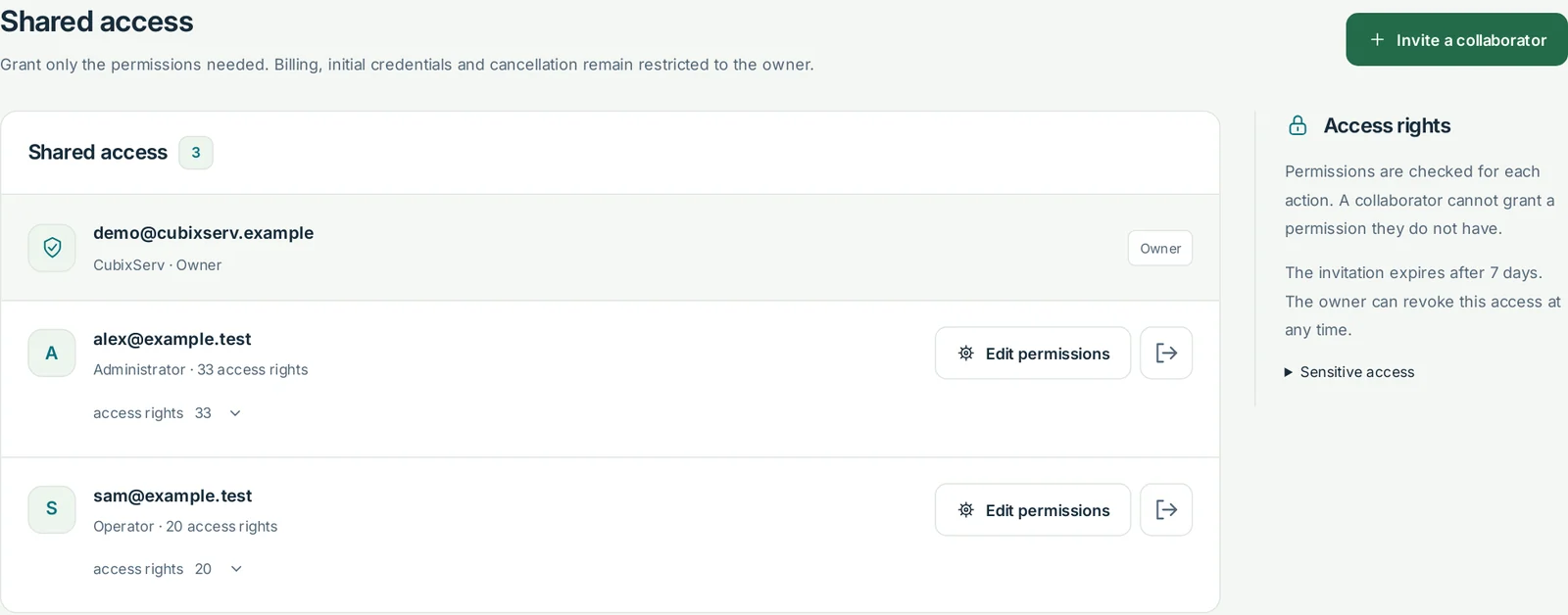
Manage your game from one place: track usage, edit files and share access with your team.
OverviewActual panel, demonstration data.
FilesActual panel, demonstration data.
Shared accessActual panel, demonstration data.
SFTP
Transfer files with FileZilla, WinSCP or a VS Code SFTP extension over an encrypted connection.
WebFTP
Upload, organise and edit text files directly in your browser with WebFTP.
Shared access
Invite your team and choose permissions for each person. Billing stays with the owner.
Backups
Create a backup before important changes and check that it has completed.
MINECRAFT BEDROCK
Build the Minecraft server you have in mind.
Choose your edition and server software first. Then size the resources around your world, extensions and players online together.
The official Bedrock server
Bedrock Dedicated Server uses Bedrock worlds and compatible behaviour or resource packs. Paper plugins and Forge, Fabric or NeoForge mods belong to Java and do not run on this software.
Check how each device connects
Use the address and UDP port assigned in the panel; they may differ from the default port 19132. Client and server versions must be compatible. Some consoles restrict adding external servers: check your platform before ordering.
The essentials in one control panel
Open the console, manage files, monitor CPU and memory and schedule tasks. Actions that replace files require confirmation; stop the server before installing software.
CPU / RAM / SSD
What resources should you budget for?
Enter your project type and concurrent player count. Then compare real catalogue configurations and their price for one month.
How is this estimate calculated?
The starting point is 4 GB of RAM. The tool adds headroom above 10, 25 or 50 players, for extensions and for a distance above 10 chunks. It proposes at least 2 vCPUs for a modpack or more than 25 players. These thresholds are planning rules, not benchmark results.
Indicative starting budget4 GB RAM
1 vCPU · proposed minimum
This estimate does not guarantee a player capacity. Follow your modpack requirements, leave memory for the system and monitor CPU, RAM and tick times in the panel.
Prepare changes, protect your worlds and check measurements after every significant update.
Prepare a world in Bedrock format
Stop the server, back up files and prepare a compatible Bedrock world. Use the file manager or SFTP for a manual import. A Java world cannot be used directly; conversion requires separate checks.
Back up before making changes
One backup slot is included per game server. Create a backup and check its status before updating, importing or changing software. Scheduled backups need an available slot.
RAM is only part of the picture
vCPUs share the host processor. Chunk generation, entities and extensions can exhaust CPU capacity before memory. Reduce simulation distance and inspect tick times before adding resources.
After payment confirmation, delivery follows the installation steps and the availability of compatible resources. Follow progress and any required action in the client area.
Can I change my plan at any time?
+
Contact our team to review a change of resources. Compatibility, availability and the new price must be confirmed before the change is applied.
Can Java and Bedrock players join the same server?
+
World formats, extensions and connection methods differ. Crossplay requires a compatible bridge and its own configuration; a hosting plan does not enable it automatically.
Can my server run with mods?
+
Bedrock Dedicated Server uses Bedrock worlds and compatible behaviour or resource packs. Paper plugins and Forge, Fabric or NeoForge mods belong to Java and do not run on this software.
Am I protected against attacks?
+
Peeryx supplies upstream IP transit and Anti-DDoS for CubixServ. Applicable protocols and limits depend on the offer. Network filtering complements updates, access security and backups.
How can I reinstall my server?
+
Create and verify a backup, stop the server, then use the reinstall workflow and confirm its name. Reinstallation replaces game files; the panel requires confirmation and limits repeated requests.
European and international connectivity
Direct connections to European networks
Direct interconnections with major European networks help keep latency low. International transit also connects users beyond Europe; actual response times depend on their Internet provider and network route.
Practical answers before you order or move an existing project.
What should I check before importing a world?+
Keep the original save separate and confirm the Minecraft edition, game version and required packs. Stop the server before replacing world files. Use Bedrock-compatible world data and packs. A Java mod or plugin is not automatically a Bedrock addon.
How do I distinguish lag from a connection problem?+
Check the assigned UDP endpoint, compatible client version and console first. If players can join but the world slows down, compare CPU, memory and simulation settings. Connection options also depend on the player’s platform; check support for custom server addresses before ordering.