Standard world with moderate to light, optimised content. Large mods and complex worlds reduce capacity.
No CubixServ slot cap. Choose your slots in the panel, within the game’s technical and licence limits.
The unmodified game fixes the maximum at 10 players; there is no supported slot setting.
No configuration matches these criteria. Lower the minimum memory or choose another operating system.
How we estimate+
CubixServ planning estimates, not multiplayer load-test results. Scripts, mods, worlds and CPU performance affect actual capacity. These figures do not guarantee a player count.
How do I choose my resources?
RAM determines available memory; vCPUs share the host processor. Usage depends on your software, mods and players. The listed storage is your service limit. Start with your project’s requirements and monitor usage in the panel.
What does the displayed price include?
The main amount covers the entire selected term, including any setup fee. Renewal is shown separately. Paid options are detailed before confirmation in the client area. Amounts are in euros.
Valheim
A server suited to the way you play.
Shared vCPUs · RAM and storage limited by the offer
What changes resource usage.
Exploration, large bases and mods affect simulation. Valheim is designed for small-group cooperation; a large RAM allocation does not guarantee more players.
Versions, extensions and compatibility.
Steam and Crossplay use different backends. Confirm the connection mode and mod compatibility; clients may need matching mods to join a modded server.
Plan backups and resource changes
Keep the world’s .db and .fwl files together with access lists. Automatic game backups and panel backup slots are separate mechanisms.
Versions, extensions and compatibility.
Stop the server before changing its configuration or replacing a save. Keep a complete copy and check game-specific paths. Ports are allocated by the panel; keep those listed in your service.
.db + .fwl
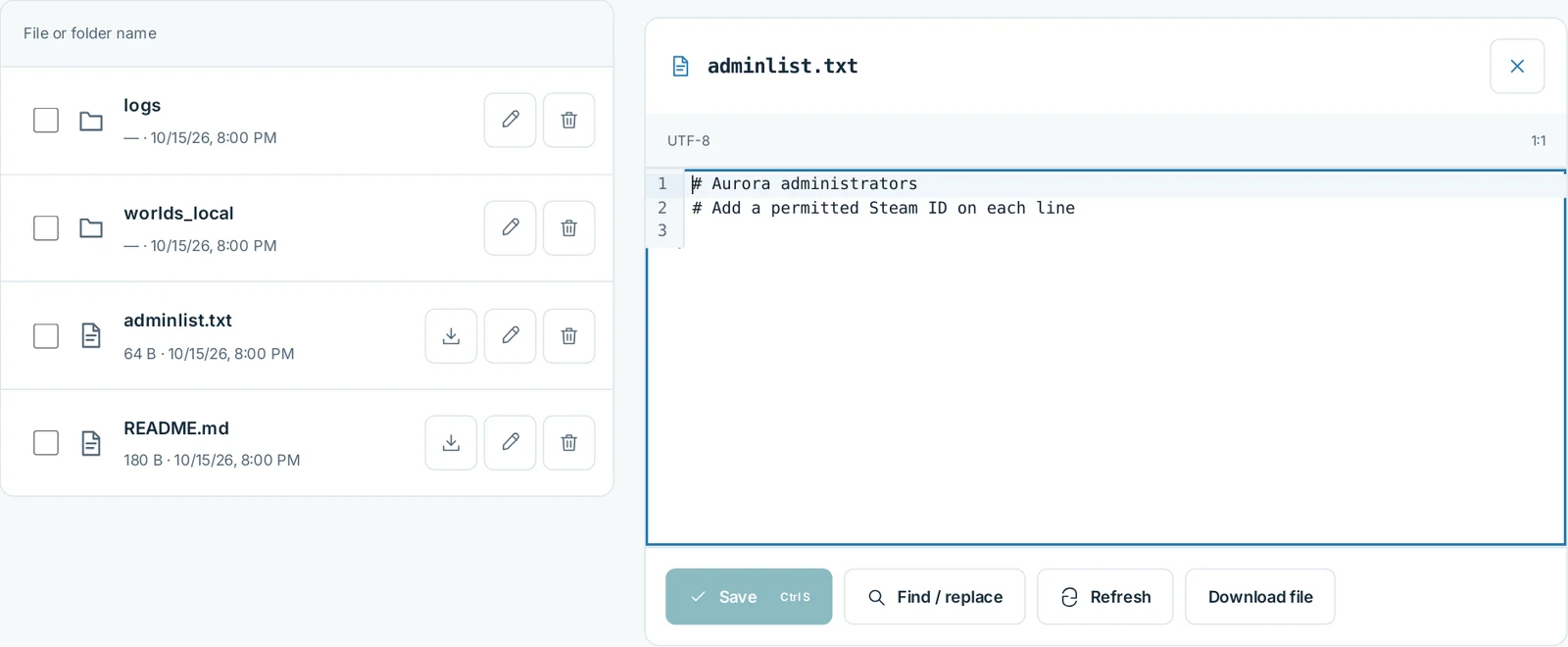
adminlist.txt
permittedlist.txt
bannedlist.txt
-world · -savedir · -crossplay
These thresholds come from the template prepared by CubixServ. They do not guarantee a player count or modded-server performance. Allow headroom and measure your actual workload.
Catalogue platform AMD Ryzen 9 9950X
CUBIXSERV / PANEL
Your server. Your tools.
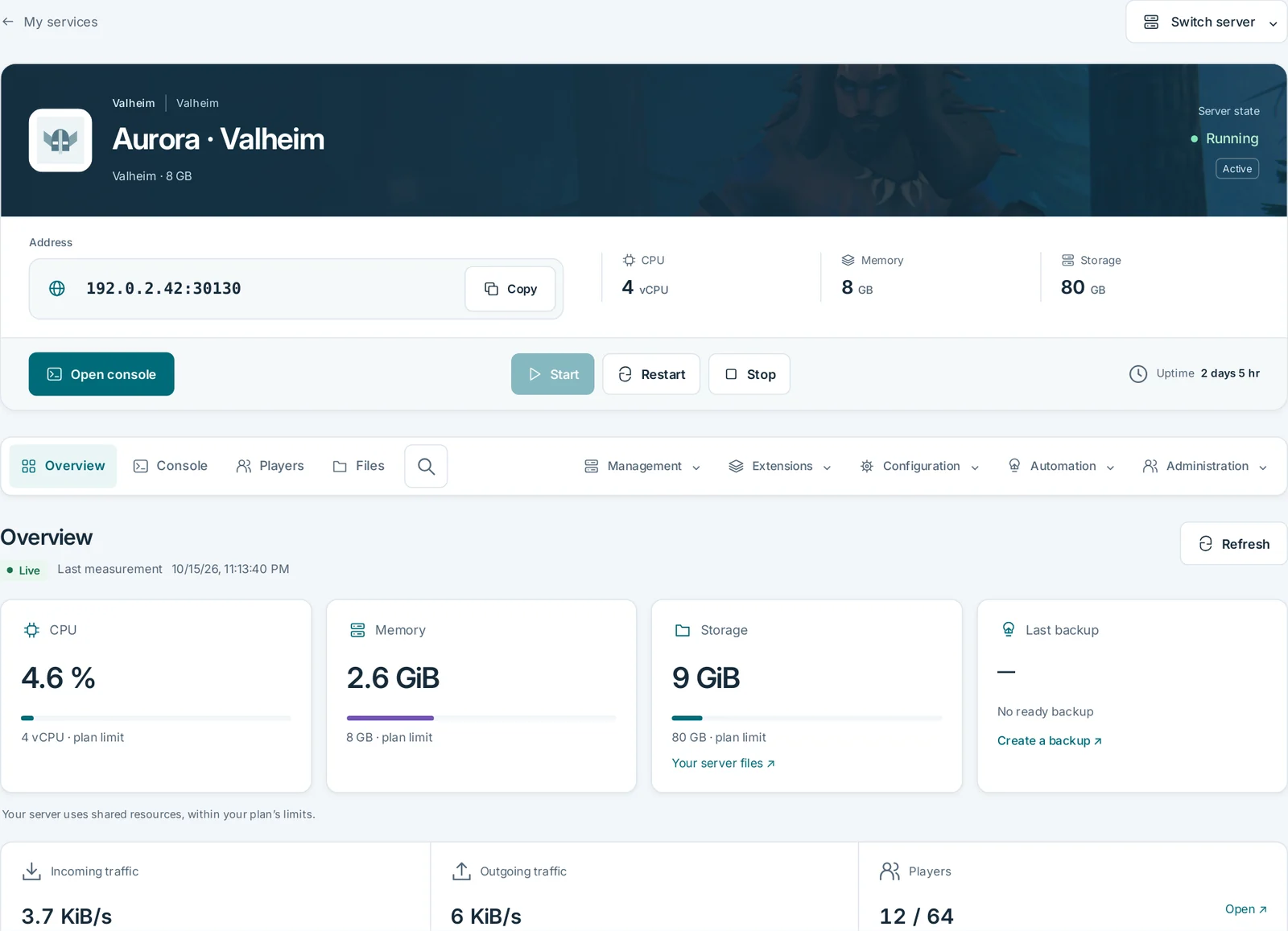
Manage your game from one place: track usage, edit files and share access with your team.
OverviewActual panel, demonstration data.
FilesActual panel, demonstration data.
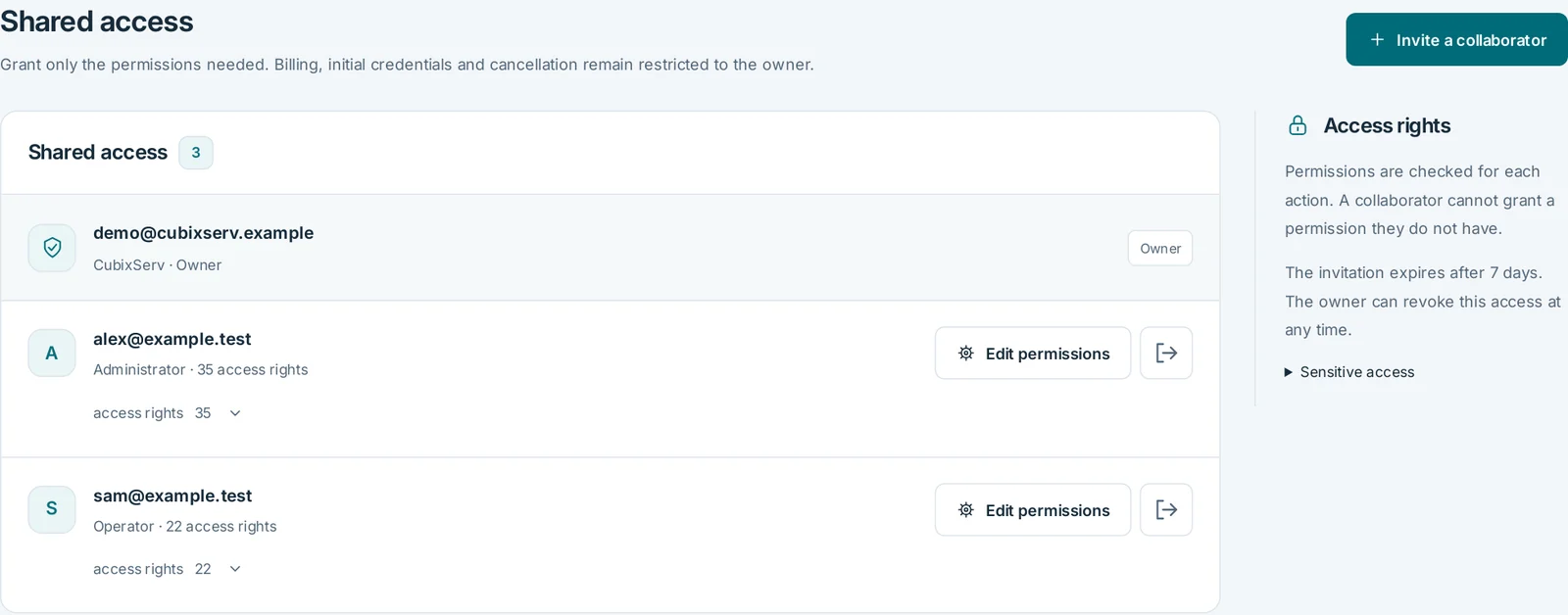
Shared accessActual panel, demonstration data.
SFTP
Transfer files with FileZilla, WinSCP or a VS Code SFTP extension over an encrypted connection.
WebFTP
Upload, organise and edit text files directly in your browser with WebFTP.
Shared access
Invite your team and choose permissions for each person. Billing stays with the owner.
Backups
Create a backup before important changes and check that it has completed.
Keep the matching .db and .fwl pair, together with the access lists you need. Stop writes and back up before transfer. Check the actual world name and save location used by the service; do not replace only one file of the pair.
Do Steam and crossplay use the same connection path?+
No. Steam and crossplay backends have different connection paths; crossplay uses a relay and may offer a join code. Check the backend configured for your service. Keep the ports allocated by the panel.
Do mods automatically support console crossplay?+
No. Mods are third-party software with their own dependencies and versions. A console client must not be assumed compatible with a PC mod. Test matching server and client environments, then back up the world before removing a mod.
Direct interconnections with major European networks help keep latency low. International transit also connects users beyond Europe; actual response times depend on their Internet provider and network route.