Build a home for your Red Dead Redemption 2 RP community, with shared characters, jobs and stories. Compare RedM plans with file access, panel tools and Peeryx DDoS protection.
Standard world with moderate to light, optimised content. Large mods and complex worlds reduce capacity.
No CubixServ slot cap. Choose your slots in the panel, within the game’s technical and licence limits.
Game limit: 2048 players.
No configuration matches these criteria. Lower the minimum memory or choose another operating system.
How we estimate+
CubixServ planning estimates, not multiplayer load-test results. Scripts, mods, worlds and CPU performance affect actual capacity. These figures do not guarantee a player count.
How do I choose my resources?
RAM determines available memory; vCPUs share the host processor. Usage depends on your software, mods and players. The listed storage is your service limit. Start with your project’s requirements and monitor usage in the panel.
What does the displayed price include?
The main amount covers the entire selected term, including any setup fee. Renewal is shown separately. Paid options are detailed before confirmation in the client area. Amounts are in euros.
RedM
VORP or RSG: choose a consistent base for your RP
VORP and RSG are RedM frameworks with their own resources, dependencies and data structures. Choose your project's foundation first, then check every script and its SQL schema. Their appearance here does not mean automatic installation. FiveM scripts written for GTA V are not directly interchangeable with RedM resources; review natives, exports, inventories and permissions before any transfer.
Artifacts, scripts and data: prepare a controlled opening
Before opening, check the artifact build, dependencies and startup order in server.cfg. Test connections, jobs and persistence after a restart. SQL queries and script loops can consume CPU even when RAM is sufficient. If txAdmin is offered for your service, restrict its rights to authorised staff. Network protection complements these checks; it does not replace script security.
Plan backups and resource changes
Back up resources, server.cfg and database data before updating. Secrets and licence keys belong in secure settings, outside shared files.
CUBIXSERV / PANEL
Your server. Your tools.
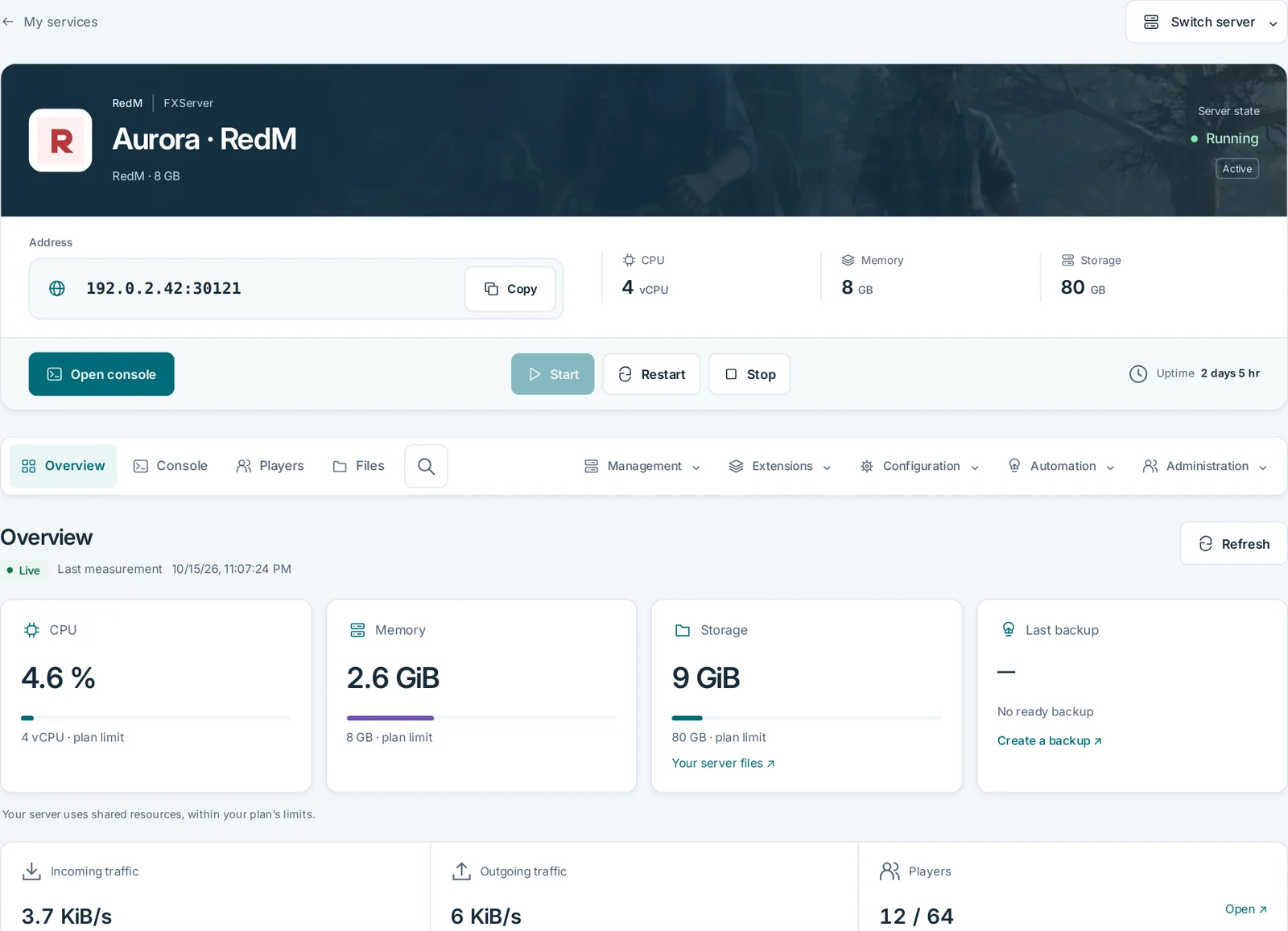
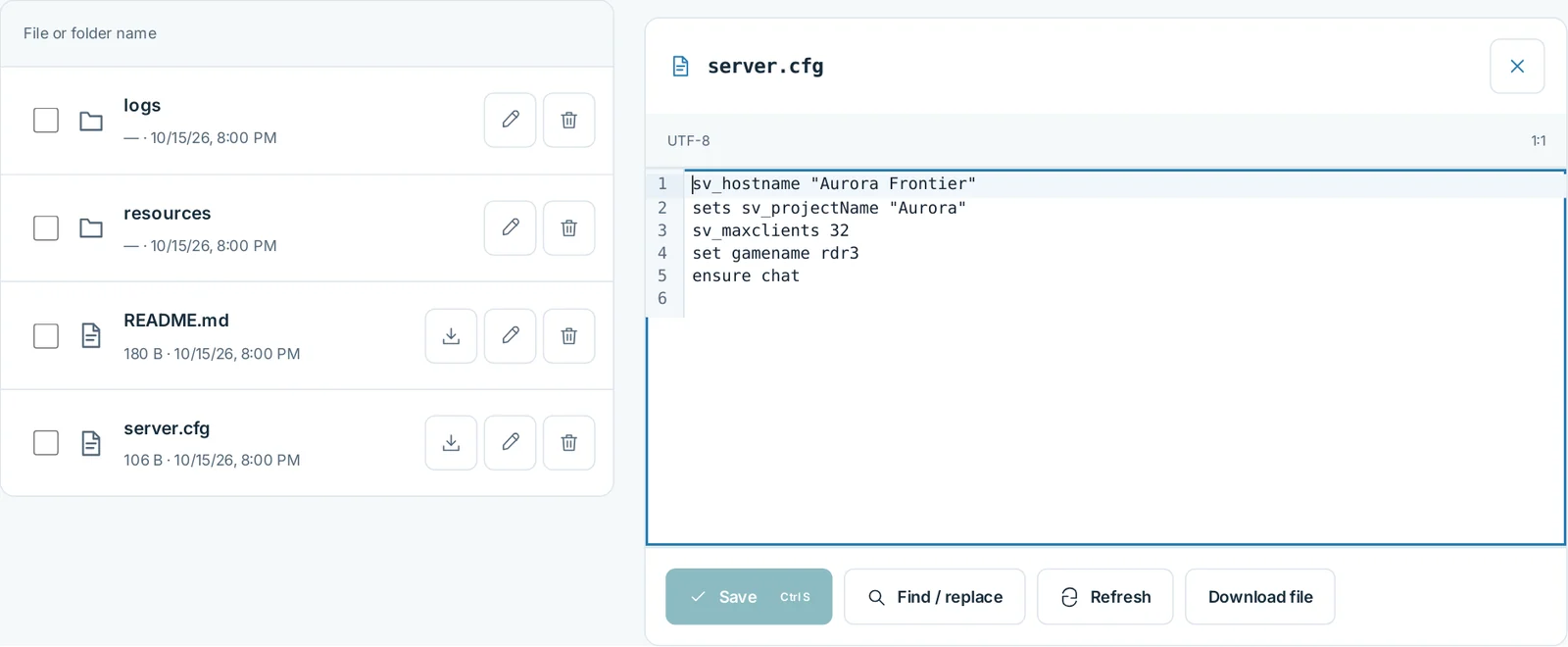
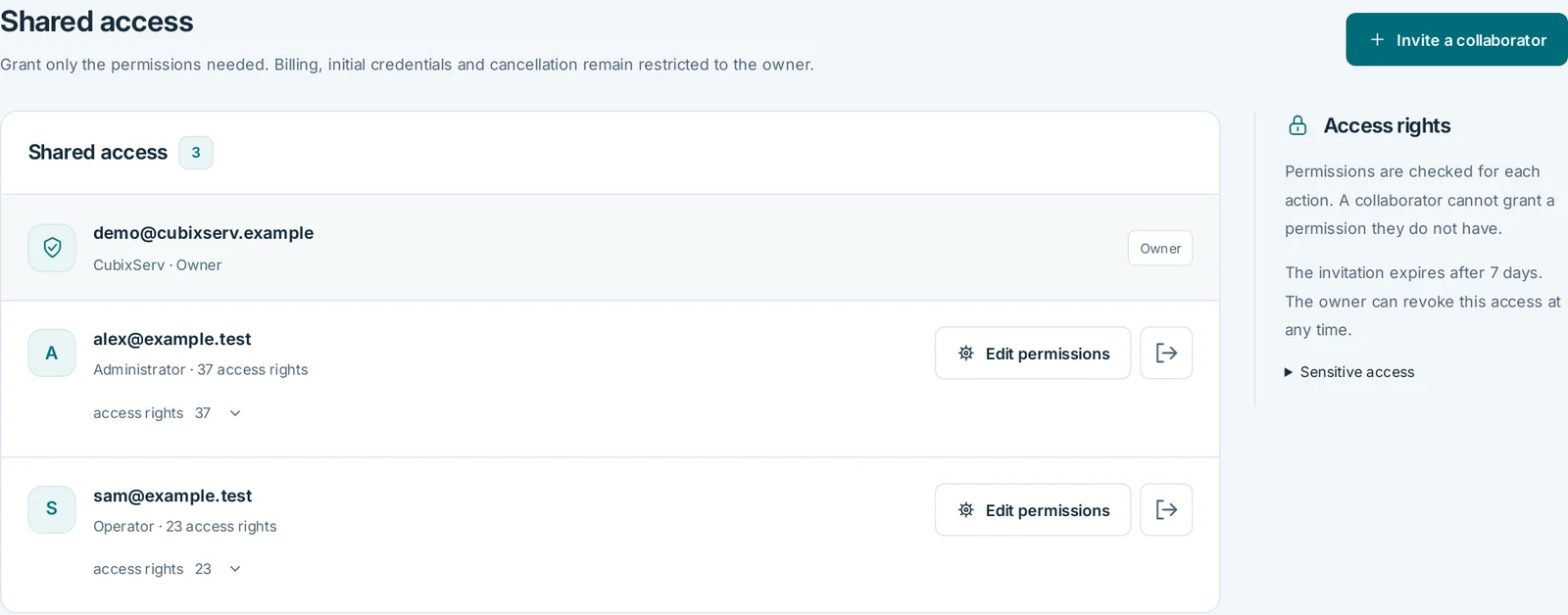
Manage your game from one place: track usage, edit files and share access with your team.
OverviewActual panel, demonstration data.
FilesActual panel, demonstration data.
Shared accessActual panel, demonstration data.
SFTP
Transfer files with FileZilla, WinSCP or a VS Code SFTP extension over an encrypted connection.
WebFTP
Upload, organise and edit text files directly in your browser with WebFTP.
Shared access
Invite your team and choose permissions for each person. Billing stays with the owner.
txAdmin
Open txAdmin from the panel to configure your FiveM or RedM server with your Cfx.re key.
Backups
Create a backup before important changes and check that it has completed.
Do not assume a framework is included: check the plan's description and prepare its dependencies. The projects develop separately; scripts, inventories and database migrations cannot simply be interchanged.
Can I move my FiveM pack to RedM?+
Not directly. The games use different resources and interfaces. Check for a RedM version and the permissions attached to your scripts, then test their features with the chosen framework.
What should I back up before a RedM update?+
Keep resources, server.cfg, relevant settings and a consistent SQL export together. Keep keys and secrets out of shared files. A rollback must restore mutually compatible files and data.
VPS or game server hosting?+
A VPS gives you a complete system to administer: software installation, updates, firewall and backups. Game hosting supplies game-specific tools in its panel. Choose according to the control and administration work you want.
How do I pay for my order?+
Choose from the payment methods available in your client area. The full amount is shown before you confirm.
Direct interconnections with major European networks help keep latency low. International transit also connects users beyond Europe; actual response times depend on their Internet provider and network route.