Introductory priceDue when ordering6.90 €first month
Renewal: 9.90 € / 1 month
No setup fee
Due when ordering28.23 €for 3 months
Renewal: 28.23 € / 3 months
9.41 € equivalent / month at renewal
− 1.47 €Renewal saving
Compared with the monthly renewal rate over the same duration. The full term is paid upfront.29.70 € → 28.23 €
No setup fee
Due when ordering53.46 €for 6 months
Renewal: 53.46 € / 6 months
8.91 € equivalent / month at renewal
− 5.94 €Renewal saving
Compared with the monthly renewal rate over the same duration. The full term is paid upfront.59.40 € → 53.46 €
No setup fee
Due when ordering95.04 €for 12 months
Renewal: 95.04 € / 12 months
7.92 € equivalent / month at renewal
− 23.76 €Renewal saving
Compared with the monthly renewal rate over the same duration. The full term is paid upfront.118.80 € → 95.04 €
No setup fee
Your resources
Processor
2 vCPU
Memory
8 GB RAM
Storage
50 GB SSD
Host CPU: AMD Ryzen 9 9950X · 16C / 32T
DDoS protection included · PeeryxPeeryx upstream capacity15 Tbps+
Control panel included
Indicative estimate4–10 concurrent players
Standard world with moderate to light, optimised content. Large mods and complex worlds reduce capacity.
No CubixServ slot cap. Choose your slots in the panel, within the game’s technical and licence limits.
How we estimate
CubixServ planning estimates, not multiplayer load-test results. Scripts, mods, worlds and CPU performance affect actual capacity. These figures do not guarantee a player count.
Introductory priceDue when ordering9.90 €first month
Renewal: 13.90 € / 1 month
No setup fee
Due when ordering39.63 €for 3 months
Renewal: 39.63 € / 3 months
13.21 € equivalent / month at renewal
− 2.07 €Renewal saving
Compared with the monthly renewal rate over the same duration. The full term is paid upfront.41.70 € → 39.63 €
No setup fee
Due when ordering75.06 €for 6 months
Renewal: 75.06 € / 6 months
12.51 € equivalent / month at renewal
− 8.34 €Renewal saving
Compared with the monthly renewal rate over the same duration. The full term is paid upfront.83.40 € → 75.06 €
No setup fee
Due when ordering133.44 €for 12 months
Renewal: 133.44 € / 12 months
11.12 € equivalent / month at renewal
− 33.36 €Renewal saving
Compared with the monthly renewal rate over the same duration. The full term is paid upfront.166.80 € → 133.44 €
No setup fee
Your resources
Processor
3 vCPU
Memory
12 GB RAM
Storage
75 GB SSD
Host CPU: AMD Ryzen 9 9950X · 16C / 32T
DDoS protection included · PeeryxPeeryx upstream capacity15 Tbps+
Control panel included
Indicative estimate8–16 concurrent players
Standard world with moderate to light, optimised content. Large mods and complex worlds reduce capacity.
No CubixServ slot cap. Choose your slots in the panel, within the game’s technical and licence limits.
How we estimate
CubixServ planning estimates, not multiplayer load-test results. Scripts, mods, worlds and CPU performance affect actual capacity. These figures do not guarantee a player count.
Introductory priceDue when ordering12.90 €first month
Renewal: 17.90 € / 1 month
No setup fee
Due when ordering51.03 €for 3 months
Renewal: 51.03 € / 3 months
17.01 € equivalent / month at renewal
− 2.67 €Renewal saving
Compared with the monthly renewal rate over the same duration. The full term is paid upfront.53.70 € → 51.03 €
No setup fee
Due when ordering96.66 €for 6 months
Renewal: 96.66 € / 6 months
16.11 € equivalent / month at renewal
− 10.74 €Renewal saving
Compared with the monthly renewal rate over the same duration. The full term is paid upfront.107.40 € → 96.66 €
No setup fee
Due when ordering171.84 €for 12 months
Renewal: 171.84 € / 12 months
14.32 € equivalent / month at renewal
− 42.96 €Renewal saving
Compared with the monthly renewal rate over the same duration. The full term is paid upfront.214.80 € → 171.84 €
No setup fee
Your resources
Processor
4 vCPU
Memory
16 GB RAM
Storage
100 GB SSD
Host CPU: AMD Ryzen 9 9950X · 16C / 32T
DDoS protection included · PeeryxPeeryx upstream capacity15 Tbps+
Control panel included
Indicative estimate12–24 concurrent players
Standard world with moderate to light, optimised content. Large mods and complex worlds reduce capacity.
No CubixServ slot cap. Choose your slots in the panel, within the game’s technical and licence limits.
How we estimate
CubixServ planning estimates, not multiplayer load-test results. Scripts, mods, worlds and CPU performance affect actual capacity. These figures do not guarantee a player count.
No configuration matches these criteria. Lower the minimum memory or choose another operating system.
How do I choose my resources?
RAM determines available memory; vCPUs share the host processor. Usage depends on your software, mods and players. The listed storage is your service limit. Start with your project’s requirements and monitor usage in the panel.
What does the displayed price include?
The main amount covers the entire selected term, including any setup fee. Renewal is shown separately. Paid options are detailed before confirmation in the client area. Amounts are in euros.
Incompatible legacy configurations · 1
These older configurations remain visible to explain the catalogue. Their resources are below the current template requirements, or installation has not been verified. They are not offered for ordering.
Shared vCPUs · RAM and storage limited by the offer
What changes resource usage.
Zombie population, explored areas and mods increase workload. Leave memory for Java and space for saves; observe simulation under real conditions.
Versions, extensions and compatibility.
Clients must match the server branch and version. Build 41 saves are incompatible with Build 42; check each mod’s supported version too.
Plan backups and resource changes
Keep the world save, Sandbox files and server settings together. Make a copy before switching branches; reverting to an older version can make the world unusable.
Versions, extensions and compatibility.
Stop the server before changing its configuration or replacing a save. Keep a complete copy and check game-specific paths. Ports are allocated by the panel; keep those listed in your service.
servername.ini
servername_SandboxVars.lua
WorkshopItems
Mods
These thresholds come from the template prepared by CubixServ. They do not guarantee a player count or modded-server performance. Allow headroom and measure your actual workload.
Catalogue platform AMD Ryzen 9 9950X
CUBIXSERV / PANEL
Your server. Your tools.
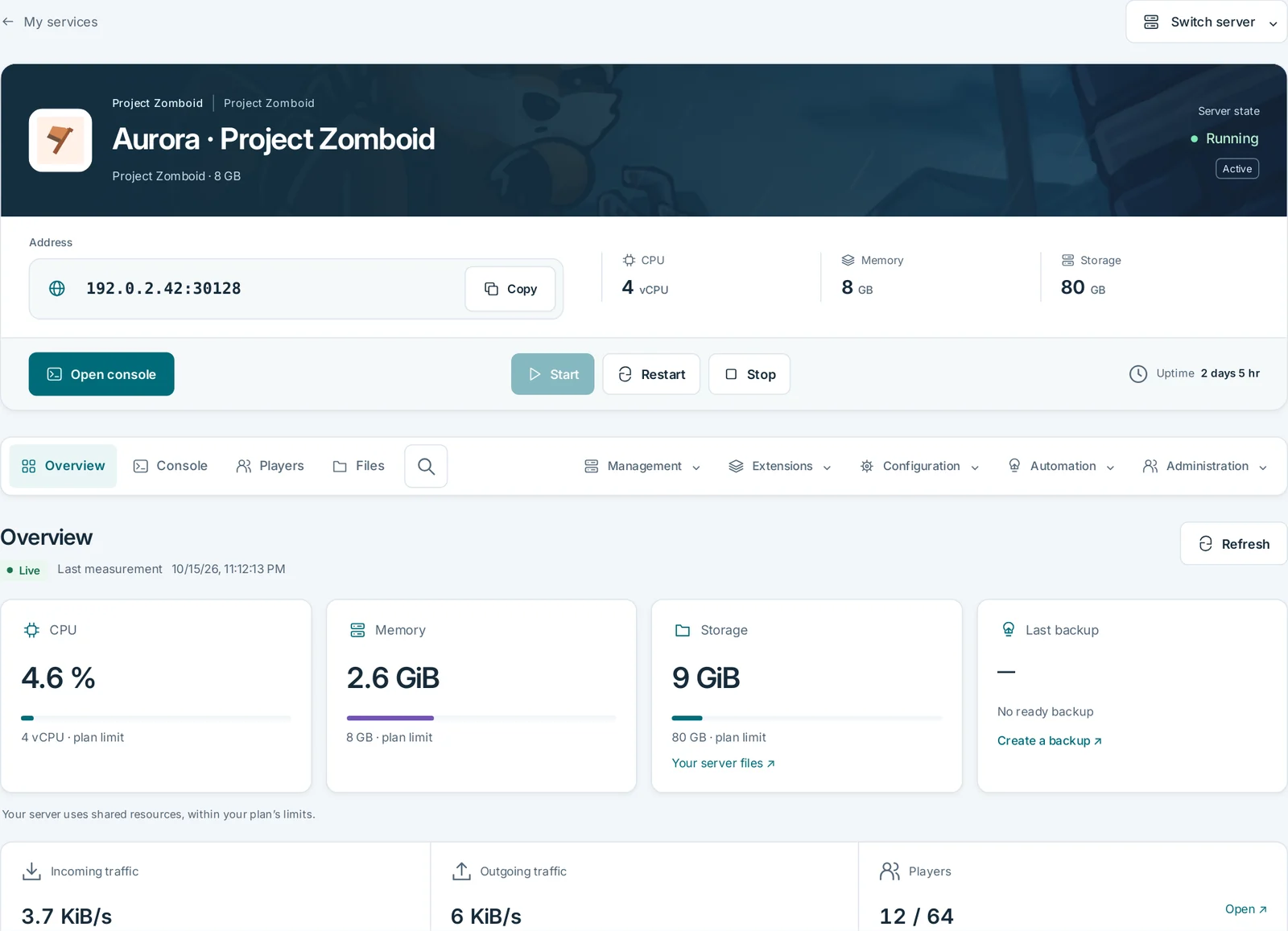
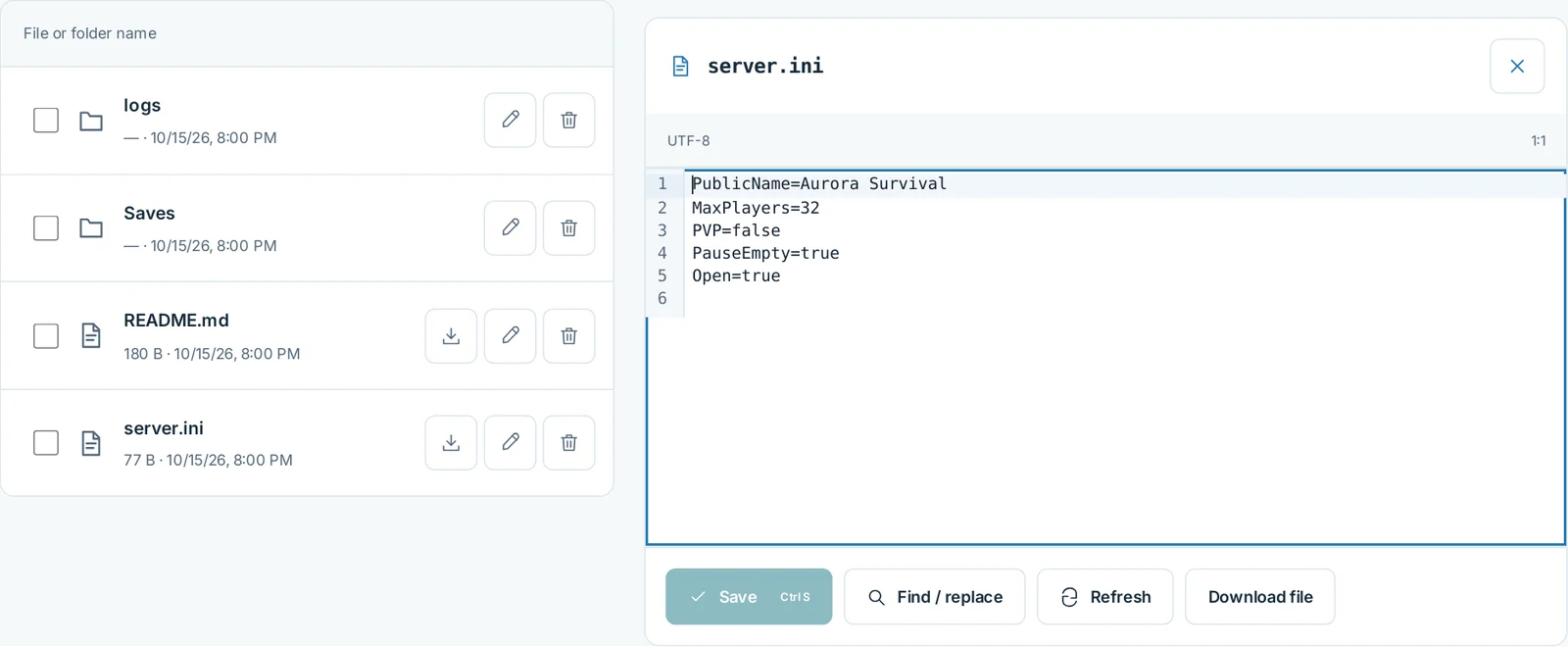
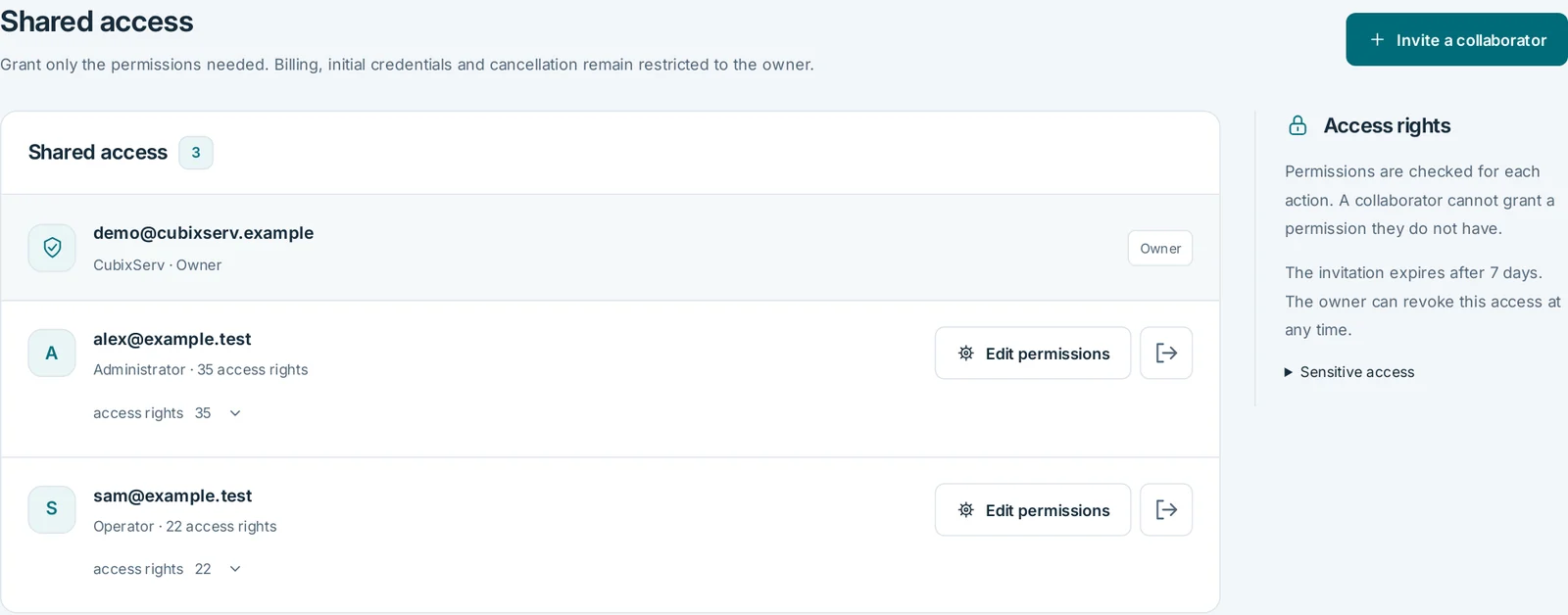
Manage your game from one place: track usage, edit files and share access with your team.
OverviewActual panel, demonstration data.
FilesActual panel, demonstration data.
Shared accessActual panel, demonstration data.
SFTP
Transfer files with FileZilla, WinSCP or a VS Code SFTP extension over an encrypted connection.
WebFTP
Upload, organise and edit text files directly in your browser with WebFTP.
Shared access
Invite your team and choose permissions for each person. Billing stays with the owner.
Backups
Create a backup before important changes and check that it has completed.
Build 41 or Build 42: what should everyone check?+
On 26 October 2026, the publisher lists Build 42.21 Stable and a legacy41 branch. Check the exact branch and version in your service logs and on every client. Copying a Build 41 world or mod does not make it compatible with Build 42.
Are a Workshop ID and a Mod ID the same?+
No. WorkshopItems identifies Steam Workshop items; Mods lists identifiers declared by the mods. One Workshop item can contain several mods. Check dependencies, maps and versions, then back up and test before opening the world to your community.
Are all Java mods officially supported?+
The publisher distinguishes supported Lua modding from Java loaders and modifications that are not officially supported. Updates can break a mod. Keep a world backup and an unmodded configuration for diagnosis; restoring a backup does not guarantee conversion between versions.
Our infrastructure is based in Marseille, southern France. Direct interconnections to Frankfurt, Milan, Madrid, Amsterdam, London and Switzerland help keep latency low for your players and applications across Europe.

 Game server